Who, when, where
Every step stores the person, the time and the driver’s location. Actions taken offline keep the time they really happened.
Courier operations, built for Jordan
Wayro replaces the Excel sheet and the WhatsApp groups with one system for the office, the drivers and your merchants: dispatch, cash on delivery, settlement and payouts, in Arabic and English.
The journey
Every parcel moves along the same line. Failed attempts hang under the driver’s run, and a return folds back to the merchant, so nothing disappears between the driver, the hub and the shop.
Every step stores the person, the time and the driver’s location. Actions taken offline keep the time they really happened.
After the third failed attempt (you set the number) the parcel heads back to the hub on its own, and nobody can send it out again by mistake.
A status only moves the way a parcel really moves. Anything else needs a reason, or the owner.
Cash on delivery
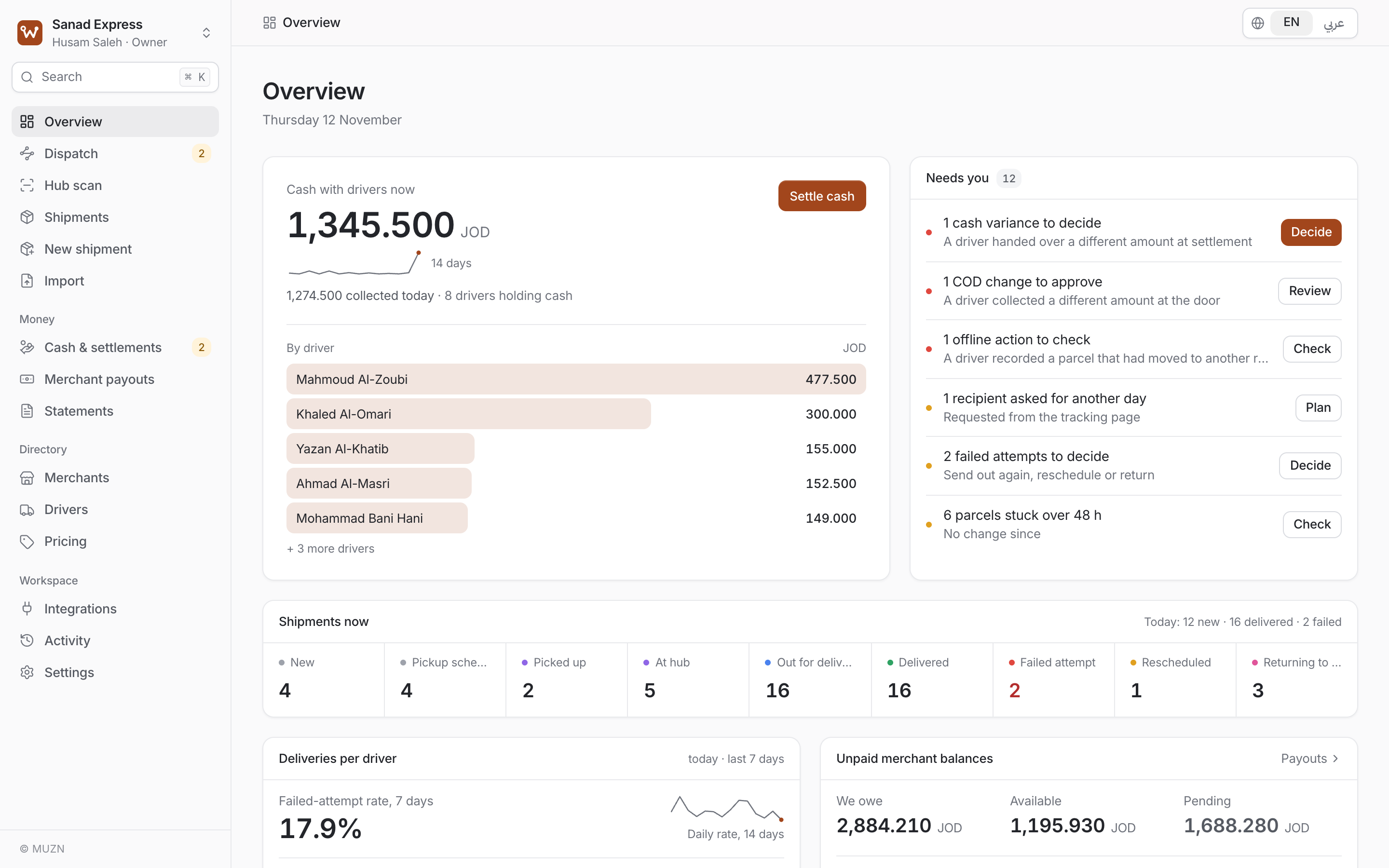
Most of your revenue travels in drivers’ pockets. Wayro follows it from the doorstep to the safe to the merchant’s account.
Each delivery adds the collected amount to that driver’s custody. The owner’s first number is the total cash on the road right now.
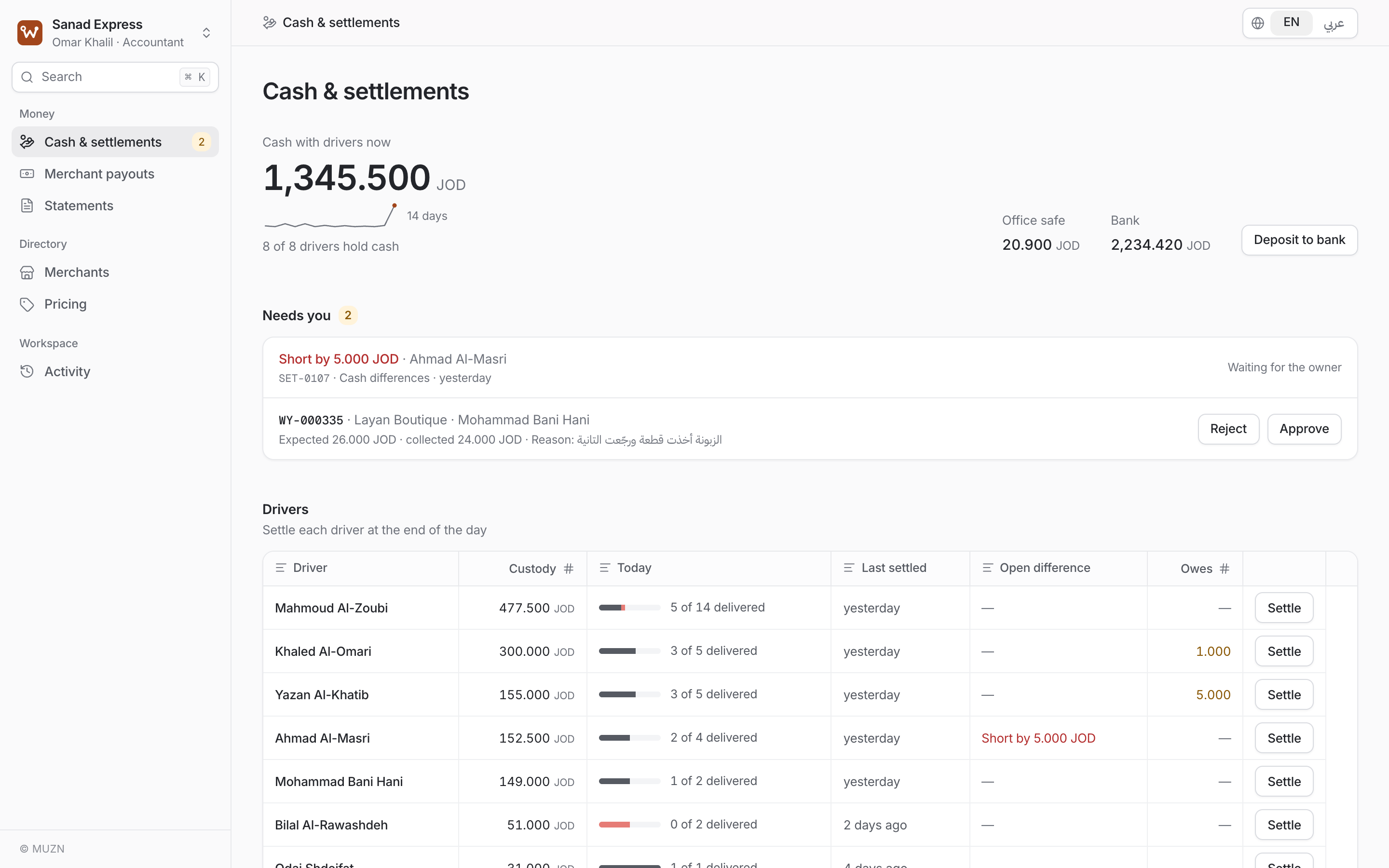
Count the notes with the denomination counter. Wayro shows expected against handed over, and a shortage or surplus stays visible until the owner approves what happens to it.
No balance is ever typed over. A correction is a reversing entry, so every dinar traces back to a person and a moment.
Dispatch and the driver app
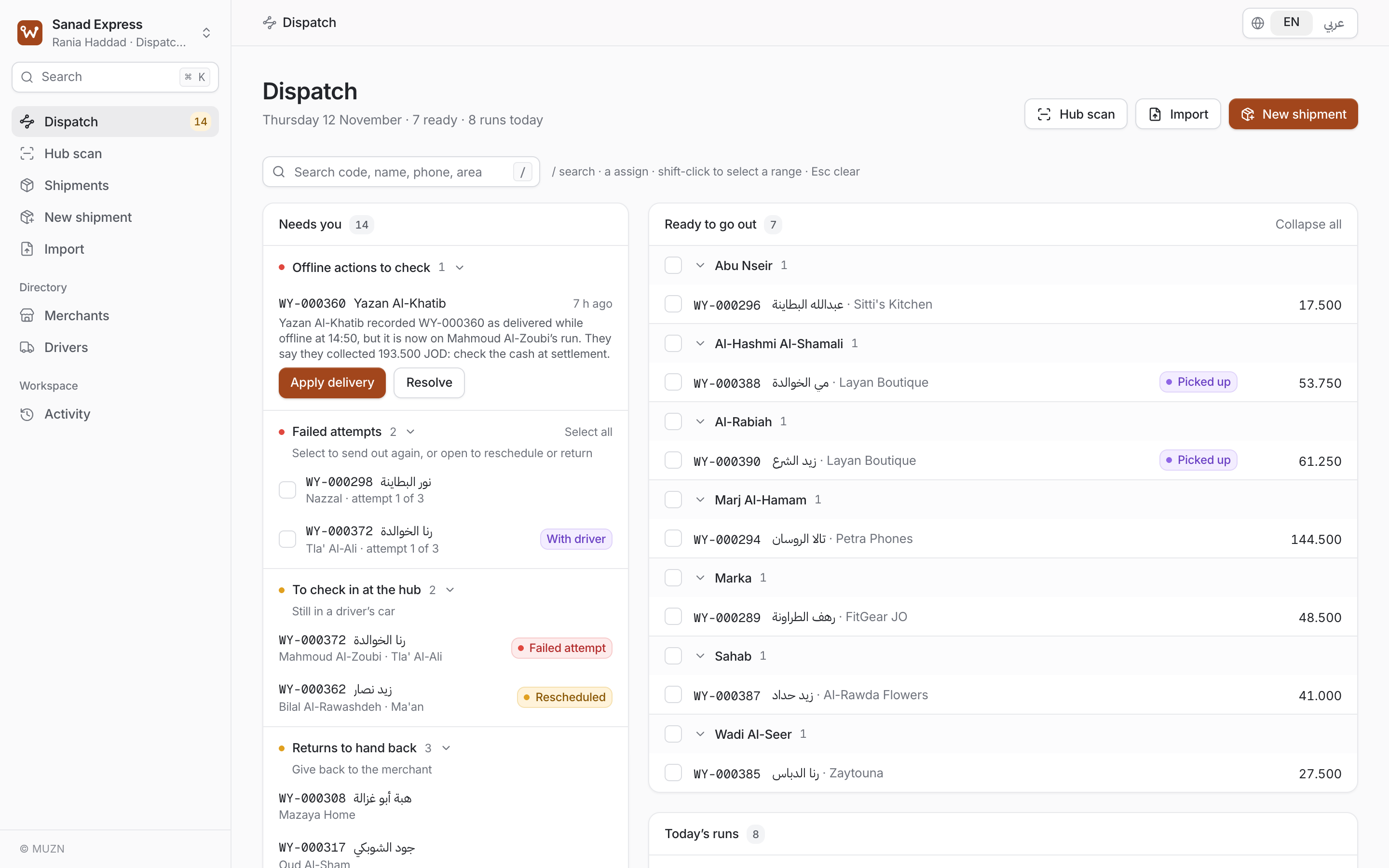
Ready parcels are grouped by area. Select, pick a driver, done. A “Needs you” queue comes first: failed attempts, reschedule requests, parcels stuck too long.
Printable Arabic labels with a QR code the driver scans to open the parcel, and a run sheet sorted by area.
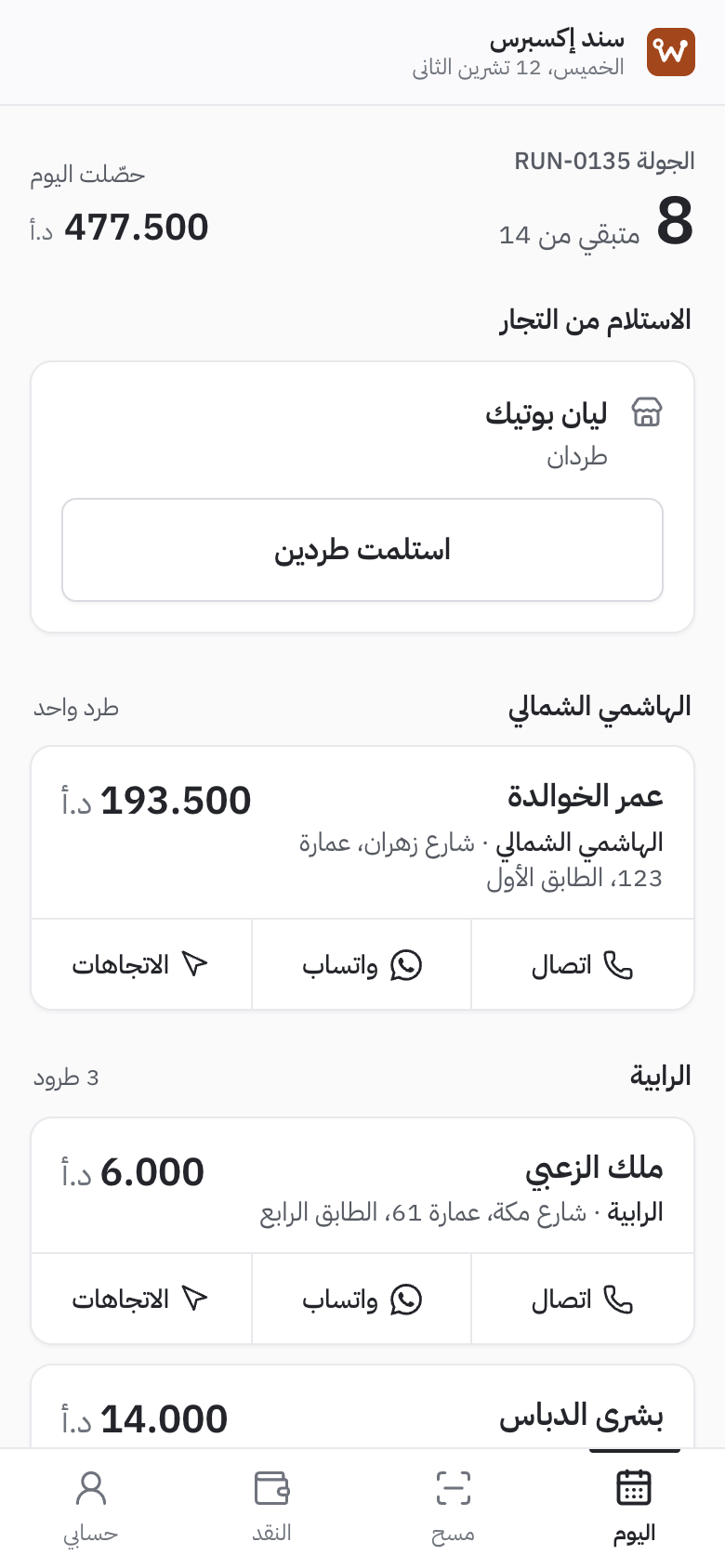
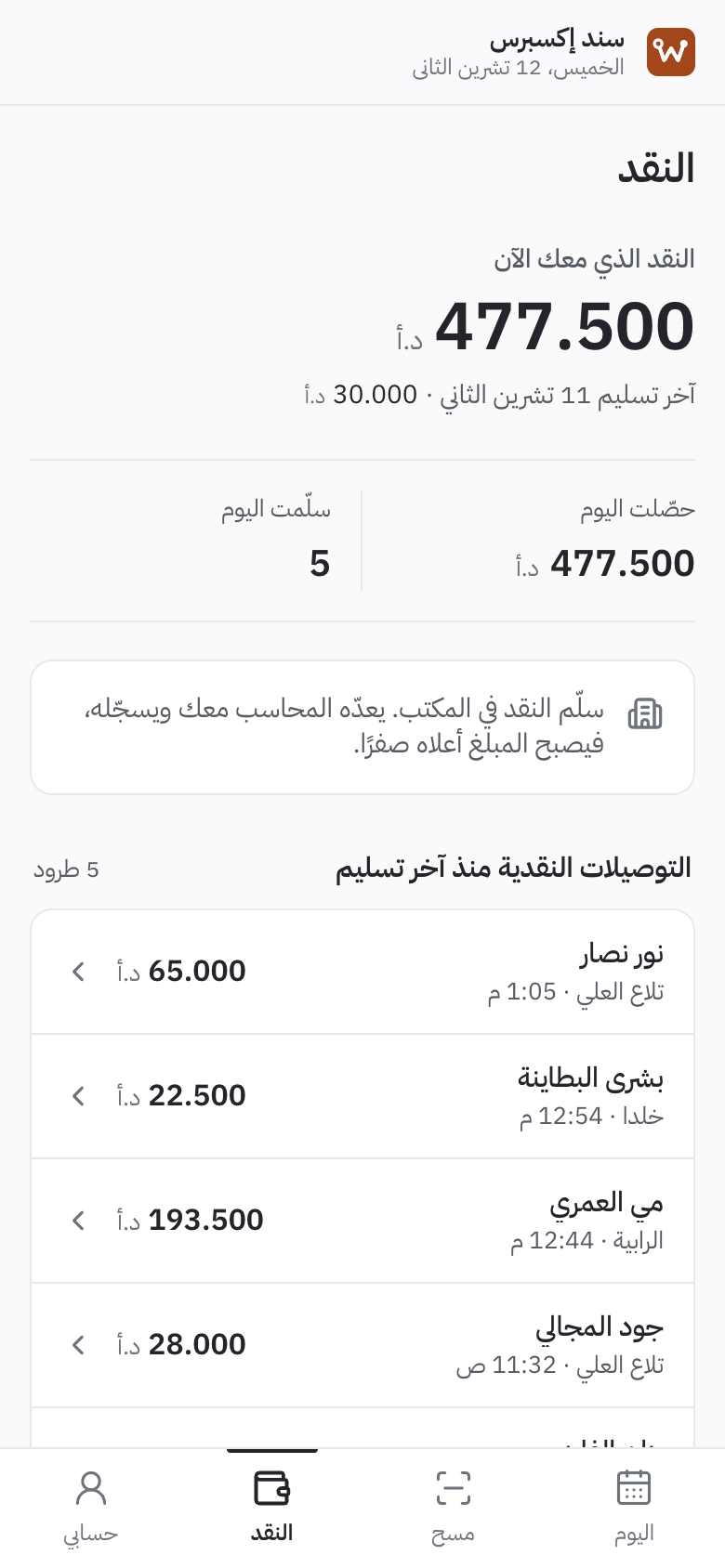
Shown in Arabic, as most drivers use it.
Merchants and recipients
Problems get solved before the trip, not at a closed door.
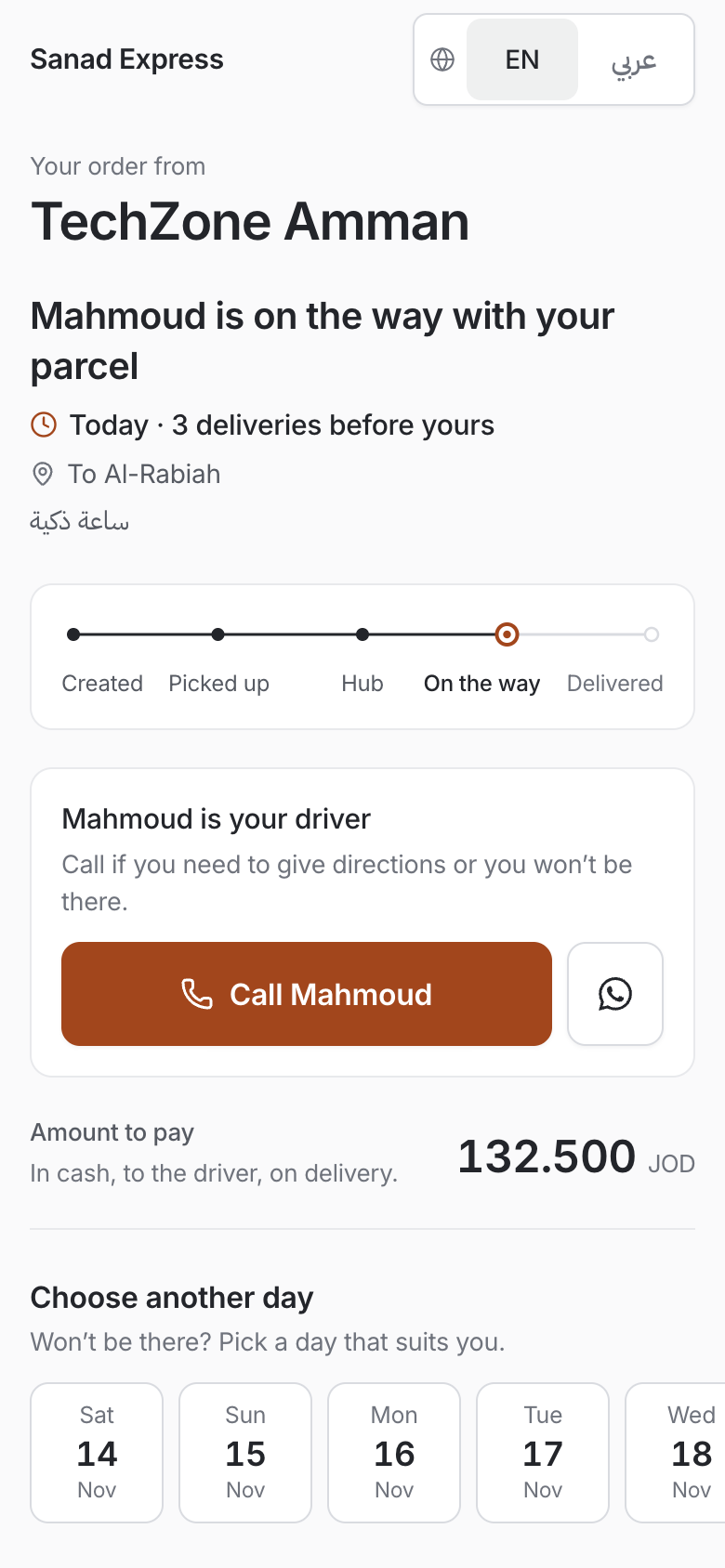
Every phone number in Wayro has a WhatsApp button with the message already written in Arabic: “on my way”, “your statement is ready”.
Connect the WhatsApp Business API and recipients get out-for-delivery, delivered and missed-you messages automatically, with the tracking link.
A merchant sends an order on WhatsApp? Paste the message and Wayro drafts the shipment.
Connections
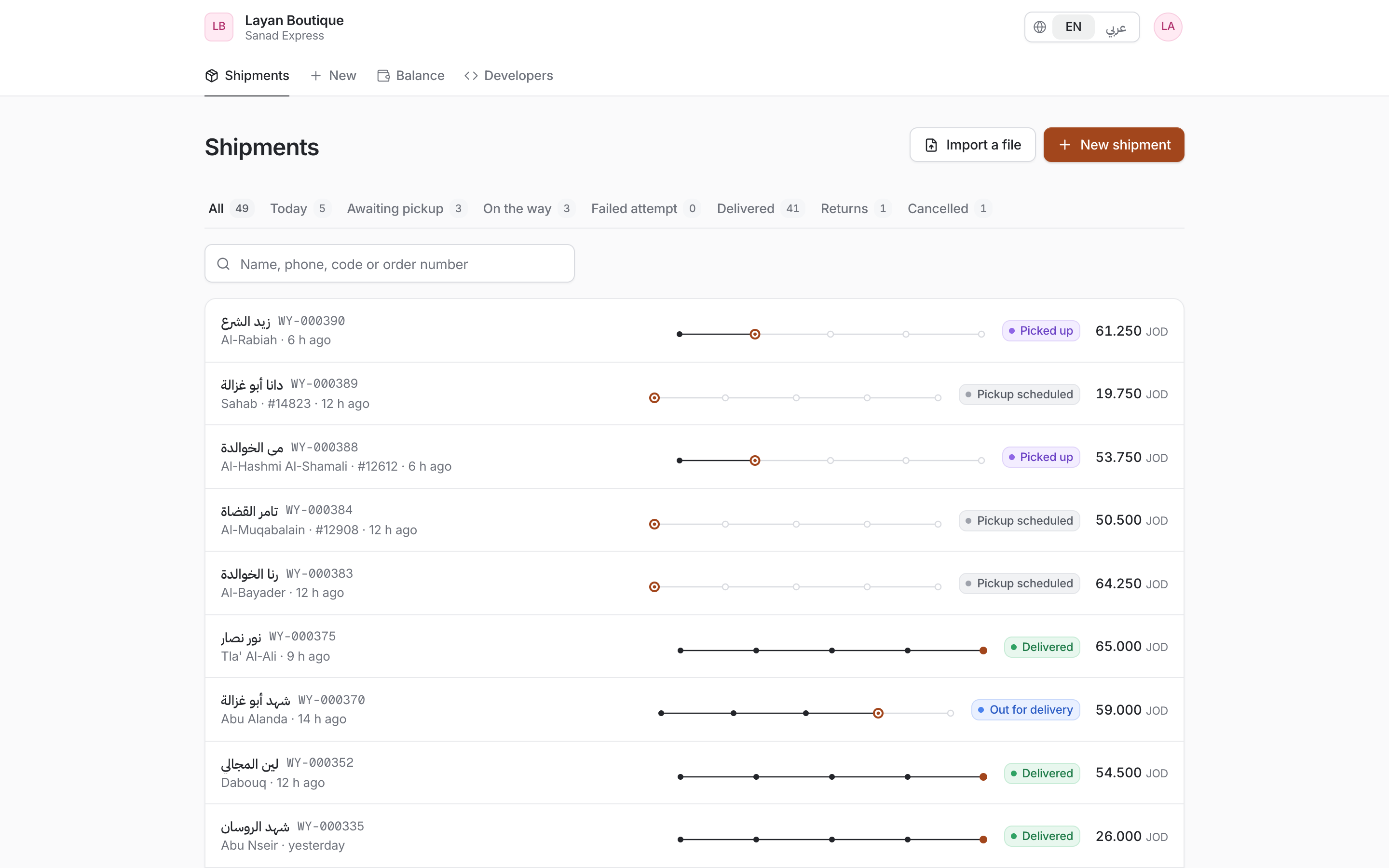
Online stores send orders straight in. Everything else comes through the API, a spreadsheet or a pasted message.
curl -X POST $WAYRO_URL/api/v1/shipments \
  -H "Authorization: Bearer wy_live_…" \
  -H "Idempotency-Key: woo-store-10482" \
  -H "Content-Type: application/json" \
  -d '{ "recipient": { "name": "Rana", "phone": "0791234567" },
        "area": "Khalda", "address": "…",
        "cod_amount": "18.500", "reference": "10482" }'

→ 201 { "shipment": { "code": "WY-000123", "tracking_url": "…" } }Mobile
No store, no update to chase. Open the link, tap “Add to Home Screen”, and it runs full screen and offline. Native iOS and Android apps are on the way.
Questions
Yes. Arabic is the first language and English the second, and each person picks their own. Labels, run sheets and statements print in Arabic. Amounts and codes keep Latin digits so columns stay aligned.
The driver app keeps working. Deliveries, failed attempts and cash collected are saved on the phone and sync when the signal returns. Nothing is applied twice, and cash a driver recorded is never dropped.
No. Any recent Android phone or iPhone with a browser will do. The app installs from a link, not from a store.
The WhatsApp buttons, which open a chat with the message ready, are free. Automatic messages go through Meta’s WhatsApp Business API, which Meta bills per message: about $0.009 per utility message for our region on the rate card effective 1 October 2026. You switch it on when you are ready.
Bring it. Shipments import from Excel or CSV with Arabic column headers. Every row is checked and duplicates are flagged before anything is created.
Yes. Each merchant gets a portal to create and track shipments, see their available and pending balance and download statements. They only ever see their own parcels.
You do. Wayro is the tool, not the owner of your records. Statements export to Excel at any time; ask us about full exports during the walkthrough.
Book a walkthrough. We go through your day with you, set up your areas, prices, drivers and merchants, and you can run Wayro next to your current sheet until the numbers match.
Tell us how your day runs. We will walk you through the same day in Wayro: dispatch, the driver’s run, and the cash coming home.